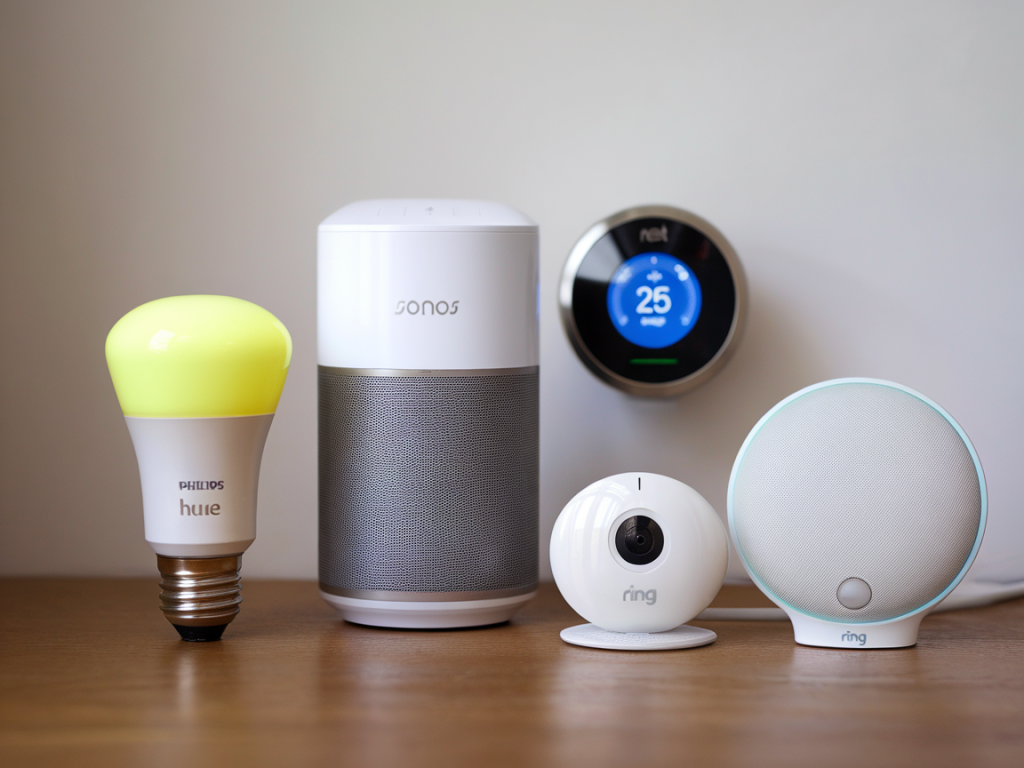
I’ve been chasing compact, unobtrusive ways to make a home smarter without turning my living room into a router-and-hub shrine. If you want automation that quietly fades into the background—no dedicated hub box on a shelf, no extra wall wart visible—there are increasingly good options that use either your existing Wi‑Fi, Bluetooth, or the devices’ own mesh systems. Below I share five affordable devices I’ve used and tested that add meaningful automation while staying visually minimal.
What I mean by “no visible hub” (and why it matters)
When I say no visible hub, I mean solutions that don’t require a separate, conspicuous hub device placed in a living area. Some options still rely on a hub-like function but embed it into other hardware you already have (a smart speaker or router) or use a cloud or mesh approach so you don’t need another box to stare at.
The benefits are straightforward:
Drawbacks? You may trade off some local control, faster local automations, or fewer integrations compared with a dedicated Zigbee/Z‑Wave hub. I’ll point out those tradeoffs per device.
1. Wyze Bulb Color or Philips Hue Bluetooth bulbs — smart lighting without a hub
Smart bulbs are the classic “no hub” starter. I keep a mix of Wyze Bulb Color and Philips Hue Bluetooth bulbs in rooms where I don’t want a bridge on display.
Why these work:
Practical tips:
Tradeoffs: Bluetooth limits range and multi‑user control; Wyze’s cloud approach may introduce latency for instant automations.
2. Aqara Zigbee devices paired via HomeKit or an existing smart speaker router combo
Aqara makes very compact sensors and switches that are both affordable and inconspicuous. Normally they use a Zigbee hub, but here’s the trick: if you already have a HomePod Mini or a HomeHub‑capable device, you can integrate Aqara devices into Apple HomeKit without a separate Aqara HUB on your coffee table.
What I like:
Practical tips:
Tradeoffs: Requires an Apple home hub device to unlock remote and multi‑device automations; otherwise local integrations are limited.
3. Tuya/Smart Life Wi‑Fi plugs — inexpensive automation, no extra box
For me, smart plugs are the highest ROI gadget — they instantly automate any dumb device. Tuya-powered or “Smart Life” plugs are widely available, cheap, and connect directly to Wi‑Fi, so there’s no extra hardware to hide.
Why I use them:
Practical tips:
Tradeoffs: Wi‑Fi plugs can add traffic to your network; pick ones that support 2.4 GHz and a reliable manufacturer firmware to avoid flakiness.
4. Eufy Security Doorbell (battery) — wireless entry automation with no base station
If you want smart entry alerts without a hub, battery doorbells like Eufy Security (battery models) are excellent. They store video locally and send alerts over Wi‑Fi, avoiding the need for a visible chubby hub inside the house.
What makes this practical:
Practical tips:
Tradeoffs: Battery models need recharging; continuous recording still consumes battery faster. Check the integration options with your chosen voice assistant.
5. Aqara Smart Curtain Motor or Switchbot Curtain — motorized privacy without a hub
Motorized curtains are a neat way to automate a room without adding any extra hub in sight. Both the Aqara curtain motor (if paired to HomeKit via an existing Apple hub) and the SwitchBot Curtain provide local control and scheduling.
Why they’re appealing:
Practical tips:
Tradeoffs: Mechanical noise varies by model; some require a hub for advanced automation, but you can often pair them to a smart speaker for hubless use.
Quick comparison
| Device | Connection | Visible hub needed? | Strength | Typical price |
|---|---|---|---|---|
| Wyze Bulb / Hue Bluetooth | Wi‑Fi / Bluetooth | No | Cheap, easy setup | £10–£30 |
| Aqara sensors | Zigbee via HomeHub | No if you have HomePod/iPad/Apple TV | Reliable, compact | £10–£25 |
| Tuya/Smart Life plug | Wi‑Fi | No | Very affordable, versatile | £8–£20 |
| Eufy Battery Doorbell | Wi‑Fi | No | Local storage, discreet | £80–£160 |
| Aqara / SwitchBot curtain | Bluetooth / Zigbee | No with speaker/HomeHub | Hidden automation, useful daily | £60–£180 |
If you prefer truly invisible automation, plan the ecosystem around one or two central devices you already own (phone + speaker + router). That way, new components plug into what’s already there and keep your surfaces spotless. I tend to start with smart bulbs and plugs, add discreet sensors where they make the most difference, and graduate to motorized coverings only when they solve a daily annoyance. If you want, I can outline a specific shopping list and setup steps for a typical two‑bedroom flat — tell me which voice assistant or phone ecosystem you use and I’ll tailor recommendations.