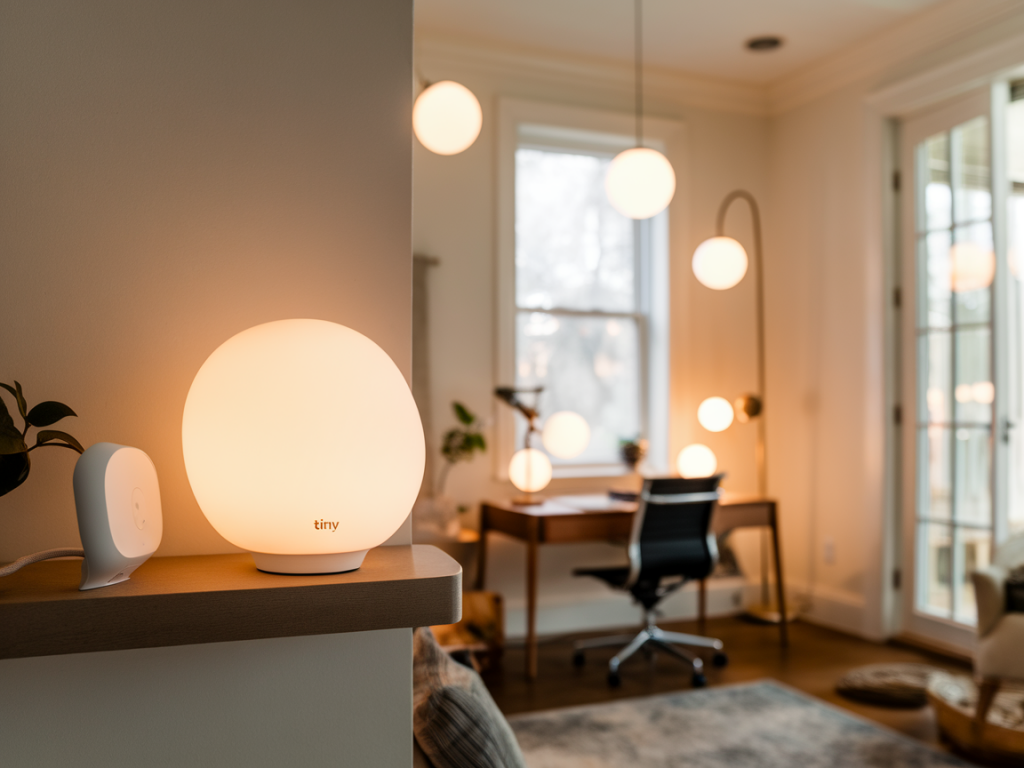
I like things that just work quietly in the background — especially when they respect my privacy. Over the years I've moved from cloud-bound smart bulbs and apps to a compact, local-first setup: a tiny Zigbee USB dongle plugged into a small Home Assistant server, running all rules locally. It’s fast, reliable, and keeps my lights off the internet unless I explicitly want remote access. In this guide I’ll walk you through how I build a private smart-home lighting scene with a tiny Zigbee hub and local rules, with practical tips, brand notes, and the pitfalls I learned the hard way.
Why a tiny Zigbee hub and local rules?
Zigbee is ideal for compact smart lighting because it’s low-power, mesh-capable, and widely supported by bulbs, switches, and sensors. Using a USB Zigbee dongle (think ConBee II, Sonoff Zigbee 3.0 Dongle Plus, or the newer Silicon Labs-based sticks) lets you run the Zigbee network locally on a small server — I use a Raspberry Pi 4 with Home Assistant OS. The key benefit is you retain full control: automations run on your LAN, no vendor cloud required, and interactions are quick (no round-trips to some remote server).
What you’ll need
Here’s the short list of hardware and software I recommend getting right before you start.
Tiny Zigbee dongle — ConBee II, Sonoff Zigbee 3.0 Dongle Plus, or a Silicon Labs stick. Pick one with good Linux support and an antenna if you need range.Host — Raspberry Pi 4 (lightweight, inexpensive) or a mini-PC/NAS. I run Home Assistant OS on a Pi 4 with a high-quality SD or USB SSD.Controller software — Home Assistant with Zigbee2MQTT, deCONZ, or ZHA (Zigbee Home Automation). I prefer Zigbee2MQTT for its device compatibility and frequent updates, but ZHA is simpler to set up.Zigbee devices — bulbs (IKEA TRÅDFRI, Philips Hue, Sengled), smart switches and sensors. Pick devices known for good local operation; Hue bulbs work great but are pricier.Network setup — Ideally a separate VLAN or isolated network for IoT devices; this is a privacy win.Choosing the right tiny hub
When I shop for a dongle, I compare support, firmware, and antenna quality. Here’s a quick comparison table I keep in my notes:
| Dongle | Pros | Cons |
| ConBee II | Excellent deCONZ support, lots of device compatibility | Bigger USB stick, needs deCONZ setup |
| Sonoff Zigbee 3.0 Dongle Plus | Cheap, works well with Zigbee2MQTT and ZHA | Occasional firmware updates needed |
| Silicon Labs (EM358x) sticks | Stable, industrial-grade radios | Can be pricier and more technical |
I’ve used both ConBee II and the Sonoff stick; if you’re new, ConBee II + deCONZ gives a very polished UI, but Zigbee2MQTT with Sonoff is more flexible for community-supported devices.
Setting up the local Zigbee hub (step-by-step)
These are the steps I follow whenever I build a new setup. They work reliably and keep everything local.
Prepare your host: install Home Assistant OS on your Raspberry Pi or mini-PC. Use a USB SSD if you can — it’s more reliable than SD cards for Home Assistant.Plug in the Zigbee dongle. Note the USB path (on Linux it’s usually /dev/ttyUSB0 or /dev/ttyACM0). Give the stick a short USB extension cable so the antenna isn't blocked and position it centrally for best mesh formation.Install your Zigbee integration: Home Assistant Add-on Store has Zigbee2MQTT and deCONZ. I install Zigbee2MQTT, configure the MQTT broker (Mosquitto add-on), and point Zigbee2MQTT to the correct serial port.Pair devices one at a time: reset the bulb/switch (follow manufacturer instructions), put Zigbee2MQTT into pairing mode, and wait. Name devices logically (eg. livingroom_ceiling_left).Create groups: group bulbs by zone (living room ceiling, kitchen counters). Grouping reduces rule complexity and latency.Creating local rules and scenes
Local rules are where the privacy and responsiveness pay off. Home Assistant automations and scenes run locally by default. I use two methods depending on complexity:
Home Assistant Automations and Scenes — Great for simple triggers: motion → on, sunset → warm dim. Use the UI to create scenes (set brightness, color_temp, and transition). Scenes can be reused across automations.Node-RED — If you like visual flows, Node-RED (installed as an add-on) gives powerful local logic with easy debugging. I use Node-RED for multi-sensor rules and cinematic sequences (fade-ins, chained delays).Example scene JSON (Home Assistant style) that I use for a cozy living-room evening:
scene.livingroom_evening — lights: livingroom_ceiling (brightness 120, color_temp 370), livingroom_lamp (brightness 80, color_temp 300), transition 6s.Automation example idea: when motion is detected after sunset, turn on the pathway lights at 40% for 5 minutes, then dim to 10% as ambient light increases. All handled locally, no cloud latency.
Privacy, network hygiene, and security
Keeping things local is only part of the privacy puzzle. I take these additional steps:
Put Home Assistant and Zigbee devices on a separate VLAN or guest Wi‑Fi with restricted internet access. Allow only the devices you need to reach the internet (eg. for optional OTA updates).Disable vendor cloud integrations where possible and prefer local APIs (Zigbee2MQTT, ZHA, deCONZ). If you use Hue Bridge for local bulbs, turn off remote access in the Hue app.Keep firmware updated for the zigbee stick and important devices, but apply updates deliberately — sometimes device behavior changes after an OTA and you want to be ready.Backup Home Assistant regularly. I snapshot the system before any major automation or firmware change.Practical tips and troubleshooting
Mesh matters: include a couple of mains-powered Zigbee devices (smart plugs, in-wall modules) to act as repeaters. Battery devices don’t repeat.Avoid channel overlap with Wi‑Fi: Zigbee uses 2.4GHz. If you have heavy Wi‑Fi interference, move Zigbee channel or adjust Wi‑Fi channels.If a device is flaky, unpair and re-pair close to the dongle for initial setup, then move it in place. Some bulbs like Hue are picky during pairing.Monitor logs in Zigbee2MQTT or ZHA to spot routing or device timeout issues. The diagnostics saved me hours when a smart plug was dropping off my mesh.Building a private smart-home lighting scene doesn’t require a lot of space or expense — just a tiny dongle, a compact host, and some local rules. You get speed, reliability, and the comfort of knowing your lights are controlled at home, for good reasons beyond convenience: privacy and resilience. If you want, I can share my exact Home Assistant YAML scene file or a Node-RED flow I use for evening transitions — tell me which one you prefer and I’ll paste the config.