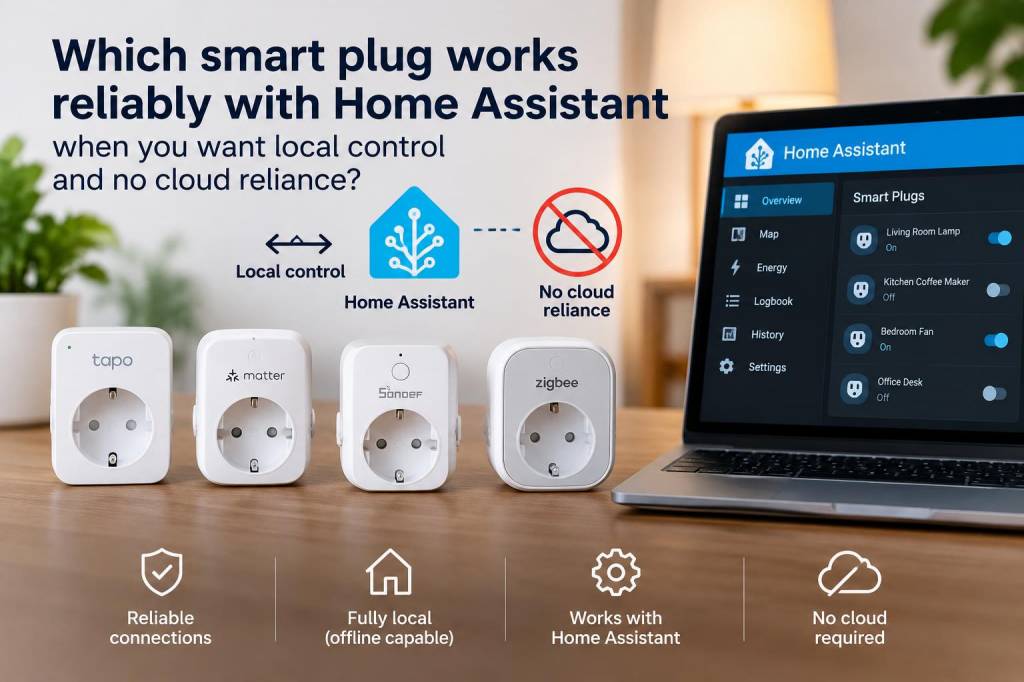
When I want a smart plug for Home Assistant, I care far less about flashy app features and much more about one simple promise: does it keep working when the cloud is unavailable? That question shapes almost every decision I make, because local control is what turns a connected outlet from a gimmick into a reliable part of a home setup. If a plug depends on a remote service for basic on and off control, I treat it as a risk, not an upgrade.
Over time, I have tested enough plugs to see a clear pattern. Some devices are easy to add but frustrating to trust. Others are a little less polished at setup, yet once they are on my network, they respond instantly and keep doing their job without asking permission from a company server. For anyone building scenes, automations, or safety routines in Home Assistant, that difference matters a lot.
What I look for before I buy a smart plug
My first filter is simple: local integration must be available, and it must be documented well enough that I can support it later without guessing. If I need a vendor account, a constant internet connection, or a phone app just to switch a lamp, I usually keep looking. I want a plug that Home Assistant can see directly on my network, ideally through a mature integration that works even if my router loses internet access for an evening.
My second filter is reliability under real use. I do not only test whether a plug appears in Home Assistant. I also check whether it reacts quickly, survives reboots, reconnects cleanly after power loss, and stays stable for days or weeks. A plug that works for five minutes is not useful to me. A plug that keeps syncing states correctly after a power outage is much more interesting.
My third filter is energy monitoring. I do not need it for every socket, but on devices like heaters, coffee machines, servers, and dehumidifiers, live power data can be extremely valuable. It helps me build automations that are not just clever, but useful. I like to know when a device is drawing power, when it has finished a cycle, and whether it is behaving as expected.
Why local control matters so much in Home Assistant
Home Assistant is at its most satisfying when it behaves like a private control layer for my house. I can create scenes, schedules, triggers, and notifications without sending every event to a vendor platform. That gives me speed, privacy, and resilience. A local smart plug fits that philosophy perfectly.
Cloud dependence introduces several annoyances. First, there is latency. Sometimes a cloud-based plug is fast enough, but sometimes there is a visible delay between tapping a button and seeing a relay click. Second, there is dependency. If a company changes its service, breaks an API, or shuts down support, my plug may become less useful overnight. Third, there is trust. I prefer not to route basic home control through a remote account unless there is a very good reason.
Local control also makes automations feel more natural. If I press a wall switch, trigger a motion sensor, or use a dashboard card, I want immediate response. That instant feedback is part of what makes a smart home feel well designed instead of fragile.
Brands and device families I trust more often
I do not think there is a single perfect smart plug for everyone, but a few device families stand out because they offer solid local paths for Home Assistant users. TP-Link Kasa is often one of the easiest starting points. Many Kasa plugs have long been popular because they are straightforward, dependable, and widely understood by the Home Assistant community. For someone who wants a relatively smooth setup and predictable behavior, Kasa is often a safe first choice.
Shelly is another brand I often respect for local-first behavior. Shelly devices are attractive to me because they are designed with local network control in mind, and they tend to appeal to users who want flexibility. If I want a plug or relay that feels closer to a tool than a toy, Shelly is usually worth a look. Their products also tend to fit well into more advanced automation projects.
Sonoff can also be a strong option, especially when the hardware supports firmware or integration paths that prioritize local use. I like Sonoff more when I confirm the exact model and its supported control method before buying. Not every Sonoff product behaves the same way, so I never assume one device experience will match another.
For more advanced users, Tasmota-compatible or ESPHome-based devices are often very appealing. These are especially interesting when I want full visibility, direct Home Assistant integration, and a strong local philosophy. They can require more setup, but they reward that effort with a sense of ownership that many cloud-first products never offer.
What I would choose for different kinds of users
If I wanted a plug that is easy to live with, I would start with a well-supported Kasa model. That choice makes sense when I want a simple buying decision, a strong chance of smooth pairing, and a stable experience without spending an afternoon tuning firmware details.
If I wanted more flexibility and a stronger local-first mindset, I would lean toward Shelly. That is especially true if I plan to expand into more serious home automation later. I like products that can grow with me, and Shelly often feels like a better long-term platform for that kind of user.
If I wanted maximum control and do not mind more setup work, I would look at ESPHome or Tasmota-compatible hardware. That path suits people who enjoy building their own stack and want more independence from vendor software. It is not always the fastest path, but it can be the most satisfying one.
Setup details that matter more than most buyers expect
One thing I learned early is that smart plug reliability is not only about hardware. Network quality matters just as much. A plug with weak Wi-Fi reception will frustrate me even if its software is excellent. I try to place smart plugs where my wireless signal is stable, and I avoid crowding them behind metal furniture, appliances, or dense power strips if I can help it.
I also pay attention to firmware updates. I am happy to install them when they improve stability or security, but I prefer a device that lets me control that process without forcing a cloud account into my routine. When a device can be updated cleanly and still remain local afterward, I feel much better about using it for important automations.
Another detail I always check is power restoration behavior. After a blackout, I want to know whether a plug returns to its previous state, stays off, or turns on by default. That setting can matter a lot for lamps, routers, fans, and heating devices. I like being able to define that behavior clearly in Home Assistant or in firmware settings so I am never surprised after a power cut.
Where energy monitoring earns its place
I used to think energy monitoring was a bonus feature. Now I see it as one of the most practical reasons to choose a smarter plug. On a coffee machine, it can confirm that the brew cycle is complete. On a washing machine, it can help me detect when the load is done. On a printer or media setup, it can show me whether a device is truly idle or still drawing an unexpected amount of power.
For Home Assistant automations, power data unlocks useful logic. I can trigger notifications when a device crosses a threshold, create timers based on actual consumption, or detect when equipment has stopped drawing current. That is more reliable than guessing from fixed schedules, especially for appliances with variable behavior.
I do, however, treat energy data with a bit of caution. I want reasonable accuracy, but I do not expect laboratory-grade measurement from every plug. For me, useful trends matter more than perfect precision. If a plug can show broad consumption patterns and support meaningful automations, that is enough for many household tasks.
A quick comparison of what usually matters
| Brand or path | Local control | Setup effort | Energy monitoring | My impression |
|---|---|---|---|---|
| TP-Link Kasa | Strong, with Home Assistant support | Low | Common on many models | Easy and dependable for many homes |
| Shelly | Very strong | Low to medium | Often available | Flexible and local-first |
| Sonoff | Varies by model | Low to medium | Model dependent | Good value when the model fits |
| ESPHome or Tasmota devices | Excellent | Medium to high | Often available | Great for advanced users |
The small details I notice after living with a plug
After a few days, I stop caring about feature lists and start noticing behavior. Does it respond instantly every time, or only when network conditions are perfect? Does it reconnect cleanly after a router reboot? Does it preserve its state in Home Assistant, or do I have to refresh things manually? Those small questions are what separate a pleasant device from a constant source of minor annoyance.
I also notice sound and build quality. Some plugs click with a reassuring mechanical snap, while others feel cheap or overly light. I do not judge only by weight, but I do notice whether a product feels like it will survive everyday use. If I plan to switch a device multiple times per day, I want a relay and housing that feel solid.
For me, a smart plug becomes truly worth buying when it disappears into the background. I stop thinking about the plug itself and start trusting the automation it supports. That is when I know it fits my Home Assistant setup properly. A reliable local plug is not just a convenience item; it becomes a quiet, dependable part of the house, and that is exactly what I want from this kind of device.