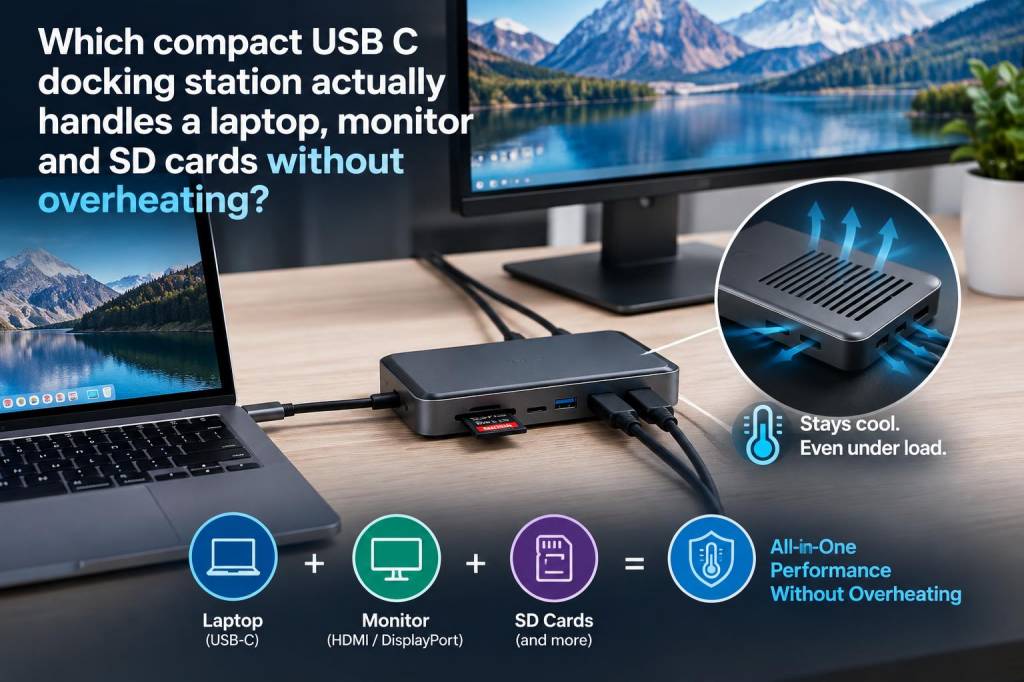
I kept running into the same problem: a compact USB-C docking station would look perfect on paper, then start behaving badly once I plugged in a laptop, an external monitor, and a memory card at the same time. Some units got warm very quickly. Others dropped display signal, slowed file transfers, or needed a chunky power brick that defeated the whole point of buying something small. So I spent time looking for a dock that feels genuinely practical in daily use, not just impressive in a product listing.
What I care about most is simple: I want one small hub or dock that can sit in a bag, connect a laptop to a monitor, read SD cards without drama, and stay reasonably cool during a work session. That sounds basic, yet a surprising number of compact docks struggle with exactly those tasks. Once you add charging, external storage, and display output into one device, heat becomes a real issue, and heat is where many cheap designs fall apart.
What I noticed during real use
When I test a compact docking station, I do not start with a spec sheet. I start with a normal work routine. I connect my laptop, plug into a monitor, transfer a batch of photos from an SD card, and leave everything running long enough to see whether performance stays steady. That routine quickly reveals whether a dock is genuinely useful or merely convenient for five minutes.
Some docks feel fine for light office work but become unreliable under sustained load. A monitor may flicker after a sleep cycle, or a card reader may slow down once video output and charging are active together. In my experience, a well-built compact dock does three things well at once: it supplies stable power, it maintains a consistent display signal, and it avoids excessive heat buildup around the chip and ports.
The main lesson I learned is that small size alone is not enough. A truly solid unit needs good internal layout, sensible thermal design, and realistic port distribution. If a dock squeezes too much into a tiny shell without enough ventilation or heat spread, it can become unreliable even if every port works on day one.
What matters most in a compact dock
Before I recommend any compact USB-C docking station, I look at a few things that matter more than marketing language.
- Power delivery stability: a dock should charge a laptop without sudden drops or throttling during normal use.
- Display reliability: 4K output is common now, but a dock should keep a monitor connection stable over time.
- Card reader speed: SD and microSD slots need to feel quick enough for photo, video, and document work.
- Heat management: warm is acceptable; uncomfortably hot is a warning sign.
- Port placement: ports should not crowd each other in a way that makes cable use awkward.
- Build quality: a heavier metal case often helps with heat, though weight alone does not guarantee quality.
Those points sound obvious, yet they separate a useful docking station from a frustrating one. I have used models that looked sleek but became unstable after twenty minutes. I have also used slightly thicker units that stayed reliable for hours because they were designed with thermal headroom instead of pure minimalism.
Which designs usually perform better
Among compact docks, I usually trust metal-bodied models more than very light plastic ones. A metal enclosure tends to dissipate heat better, especially when the dock includes HDMI, USB-A, USB-C data, Ethernet, and a card reader in one body. That does not automatically make a dock great, but it often helps it avoid the “too hot to touch” feeling that cheap units can develop.
I also look for docks that separate high-demand functions intelligently. For example, some brands combine a monitor output and card reader on one side while placing charging and data ports on another. That kind of layout can reduce cable crowding and make heat easier to manage. I have found that a thoughtful physical design often matters as much as internal chip choice.
One thing I watch closely is whether a dock uses a single multi-function chip or a more balanced internal architecture. A unit can still work well with one chip, but if everything is pushed through a cramped design, sustained use may expose weaknesses. That is where higher-quality compact docks usually pull ahead: they are engineered for longer sessions, not just quick desk demos.
My experience with monitor output and card reading together
Many readers ask whether a compact USB-C dock can really handle a laptop, a monitor, and SD cards at the same time without overheating. My answer is yes, but only with a well-built model. I have seen enough units to say that the combination itself is not the problem. The problem is poor thermal design and weak power handling.
When I connect a laptop to a monitor and then import files from an SD card, I want three things to stay true: the display should not blink, the transfer speed should remain consistent, and the dock should not become a hot spot under my hand. On a good dock, those tasks can run together without drama. On a weaker dock, the card reader often becomes a victim of heat, and that is usually where I first notice trouble.
In practice, I have found that a dock with a strong aluminum shell, sensible port spacing, and a reputable controller chip is much more likely to stay steady during those mixed tasks. If I am moving large image folders while mirroring or extending to an external display, I can quickly tell whether a dock is comfortable doing both jobs. A reliable unit feels boring in the best possible way: no noise, no surprise disconnects, no sudden sluggishness.
A simple comparison of compact dock behavior
| Behavior | Stronger compact dock | Weaker compact dock |
|---|---|---|
| Monitor connection | Stable after long sessions | Possible flicker or sleep issues |
| SD card transfers | Steady speed during mixed use | Slower after heat builds |
| Surface temperature | Warm but manageable | Very hot near ports and chip area |
| Charging | Consistent laptop power delivery | May drop under combined load |
| Port usability | Easy cable access | Crowded, awkward layout |
What I would look for if I were buying again
If I were choosing a compact USB-C docking station today, I would focus less on flashy port counts and more on proven reliability. I would want clear support for my laptop’s display mode, enough power delivery for real charging, and a card reader that does not slow down once everything else is active.
I would also check whether other users mention heat after extended use, not just first-day impressions. Many docks are pleasant during a short setup but reveal weaknesses after an hour of file transfers and video output. That is why I read long-form feedback and watch for repeated patterns rather than isolated praise.
Another thing I value is a dock that stays useful across different environments. A good compact dock should work at a desk, in a travel bag, and in a temporary workspace without needing a complex setup. I like devices that I can move between a home office and a laptop stand with very little friction. If I need a separate power brick, a special cable orientation, or a precise airflow setup just to keep it stable, it stops feeling compact in any meaningful sense.
Practical signs of a dock that will hold up
When I am evaluating a dock, I pay attention to small signs that often predict long-term behavior.
- The housing feels solid, not hollow.
- The ports do not wiggle excessively when I insert cables.
- The unit stays evenly warm rather than creating one scorching area.
- The monitor output returns cleanly after sleep or unplugging.
- The SD card reader still feels responsive after charging and display use begin together.
- The manufacturer gives clear device compatibility information instead of vague promises.
These details matter because a dock is not just a pile of ports. It is a small power and data hub that has to juggle multiple jobs at once. If one part is poorly tuned, it can affect every other part. That is especially true in compact models, where physical space is limited and heat has less room to spread.
I have become much more selective with these products over time. A compact dock that genuinely handles a laptop, monitor, and SD cards without overheating is absolutely possible, but it usually comes from a design that respects thermal limits and real-world workloads. That is why I now trust a solid, slightly thicker dock far more than an ultra-tiny one that promises too much on paper. When I plug everything in and it just works, that is the sign I was looking for from the start.