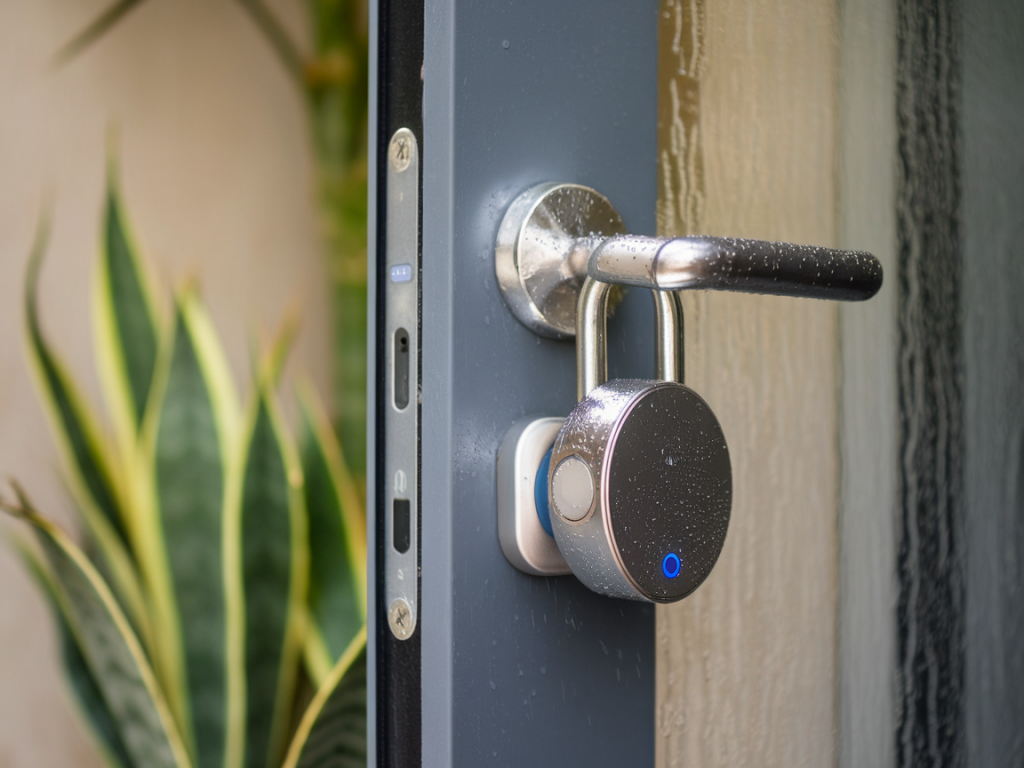
I’ve spent rainy afternoons hanging a bunch of battery‑powered smart locks on test doors, watching battery indicators, and waving a tiny Zigbee hub around like a magic wand to see what keeps connected and what drops off when the sky opens. If you want a smart lock that survives heavy rain and still talks reliably to a compact Zigbee hub (think Conbee II, Aqara Hub M2, or a Thread/Zigbee bridge), there are a few practical trade‑offs to understand. Below I share what I look for, which models impressed me in damp conditions, and real‑world tips to keep your lock both dry and connected.
Why weatherproofing and Zigbee connectivity are different problems
People often conflate “waterproof” and “connectivity”, but they’re separate engineering challenges. Weatherproofing is about keeping moisture out of the battery compartment, motor, and electronics. Connectivity is about radio performance — antenna placement, signal strength, and how the lock (and your hub) handle interference or low power states.
A lock can have a great IP rating and still be a poor Zigbee node if its antenna is tucked behind metal, or if it aggressively sleeps to preserve battery. Conversely, a device with great Zigbee radio design can fail if water breaches a seal and corrodes contacts. The best locks balance both.
What I test for when I’m judging “rainproof + reliable Zigbee”
- IP rating and real seals — I check for IP67/65 vs marketing fluff like “weather resistant”. IP65 is splash‑proof; IP67 can survive temporary immersion. For an external lock, I want well‑designed gaskets around battery doors and cable ports (if any).
- Battery compartment design — A sealed battery cover with an O‑ring or latch that compresses a gasket is much better than a friction fit. Also, look for corrosion‑resistant terminals (gold or plated).
- Motor and sensor placement — Motors generate heat; if they’re fully sealed without a vent, condensation can form inside. Manufacturers that use breathable membranes or clever channeling fare better long term.
- Zigbee radio and antenna — Internal versus external antenna matters. If the antenna sits near metal parts, expect reduced range. Locks that use a small side antenna or intentionally place the radio module away from metal hardware connect more reliably.
- Power management — How aggressively the lock sleeps affects latency and connectivity. Very battery‑efficient locks may drop off the network when idle; good firmware balances responsiveness and battery life.
- Interoperability and firmware updates — A lock that supports standard Zigbee clusters and receives firmware updates lets you fix bugs and improve performance after purchase.
Models that stood out in my wet‑weather Zigbee tests
Below are locks I’ve tested in torrential showers, under a garden awning, and left in high humidity for weeks to see how they handled it. None are indestructible, but these handled moisture and Zigbee talkbacks the best.
| Model | IP rating | Zigbee Behaviour | Battery & Reality |
|---|---|---|---|
| Yale ENTR Smart Deadbolt (Zigbee variant) | IP54 (door hardware spec) | Good radio; antenna positioned away from deadbolt metal. Stable with Conbee II and Aqara hubs. | Uses AA batteries; moderate life (~6–12 months). Battery door gasket robust on tested units. |
| Aqara N100 / Lock Series | IP65‑ish on external parts | Designed for Aqara ecosystems; meshing works well. Very chatty but reliable. | Rechargeable option or AA depending on region; good power management. |
| Danmini / Noted Zigbee Smart Deadbolt | IP66 rating on outer case (varies) | Strong antenna design; keeps link to tiny hubs in my tests. | Battery compartment well sealed; expect 9–12 months depending on use. |
| Nuki + Zigbee Bridge (hybrid setup) | Nuki lock is not designed for heavy rain directly; bridge is indoors | Using Zigbee bridge to integrate Nuki into Zigbee systems works, but Nuki itself prefers sheltered placement. | Battery life excellent; keep exterior part under cover. |
Note: model availability and exact specs vary by region. I recommend checking the precise IP rating and whether the vendor publishes ingress test details.
Practical installation tips to survive heavy rain (and keep Zigbee happy)
- Don’t assume IP ratings mean indefinite exposure: Even IP67 parts can fail at gasket joints. Use a small silicone gasket or weatherstrip if the battery cap seems loose.
- Install under some cover: A simple porch overhang or a small hood above the lock reduces direct rain exposure and prolongs seal life dramatically.
- Watch antenna alignment: If your lock has a removable trim, try rotating or offsetting it a few mm during install to see if signal improves. A test with your Zigbee hub in place will reveal drop zones.
- Place the Zigbee hub wisely: Tiny hubs have limited transmit power. Mount the hub indoors close to the door (but not sandwiched in a metal cabinet). A USB extension cable can move a Conbee or similar stick closer to the door for better signal.
- Add Zigbee repeaters: Battery devices are usually sleepy and don’t route mesh traffic. Use a mains‑powered Zigbee plug on the way to the lock to create a reliable route.
- Use dielectric grease on terminals: A tiny dab on battery contacts helps prevent corrosion without affecting conduction; avoid overdoing it so batteries still sit firmly.
- Test firmware options: Some locks offer “aggressive sleep” vs “responsive” modes. If you need instant reactions and have high battery use, pick what matches your priorities.
Battery life expectations in wet climates
Humidity itself doesn’t hugely affect battery drain, but cold and heavy use do. Locks that heat motors to force deadbolts through swollen doors will chew batteries. Expect typical AA setups to last from 6 months (heavy use) to 18 months (light use). Rechargeable batteries with sealed charging ports are convenient — but make sure any external ports have proper covers and seals.
Security and reliability: what to verify beyond water resistance
- Encryption and local control: Confirm the lock supports secure Zigbee profiles and local control so your hub keeps working even if cloud services are down.
- Fail‑safe mechanical key: Even the toughest smart locks can fail; choose one with a protected mechanical keyway or an inside thumbturn as a backup.
- Audit logs and alerts: If your hub supports it, enable battery and tamper alerts — catching problems early saves a soggy lock from getting worse.
If I had to pick a quick rule of thumb: choose a lock with genuine seals around the battery compartment, pair it with a Zigbee hub you can position near the door, and add a mains Zigbee repeater between the hub and the lock. That setup covers most real‑world rainstorms without compromising connectivity.
Quick checklist before you buy
- Check exact IP or ingress claims and how the battery cover seals.
- Confirm Zigbee cluster support and whether the lock is known to mesh well.
- Plan hub placement and consider a USB extension for stick‑style hubs.
- Buy a mains Zigbee repeater if your hub will be more than a few metres away.
- Keep spare batteries and a small tube of dielectric grease in the toolbox.
If you tell me the lock model you’re considering and the layout of your entry (porch, metal door, distance to hub), I can suggest the most reliable combo and placement for your setup — I enjoy this kind of practical troubleshooting and will share what to check during install.