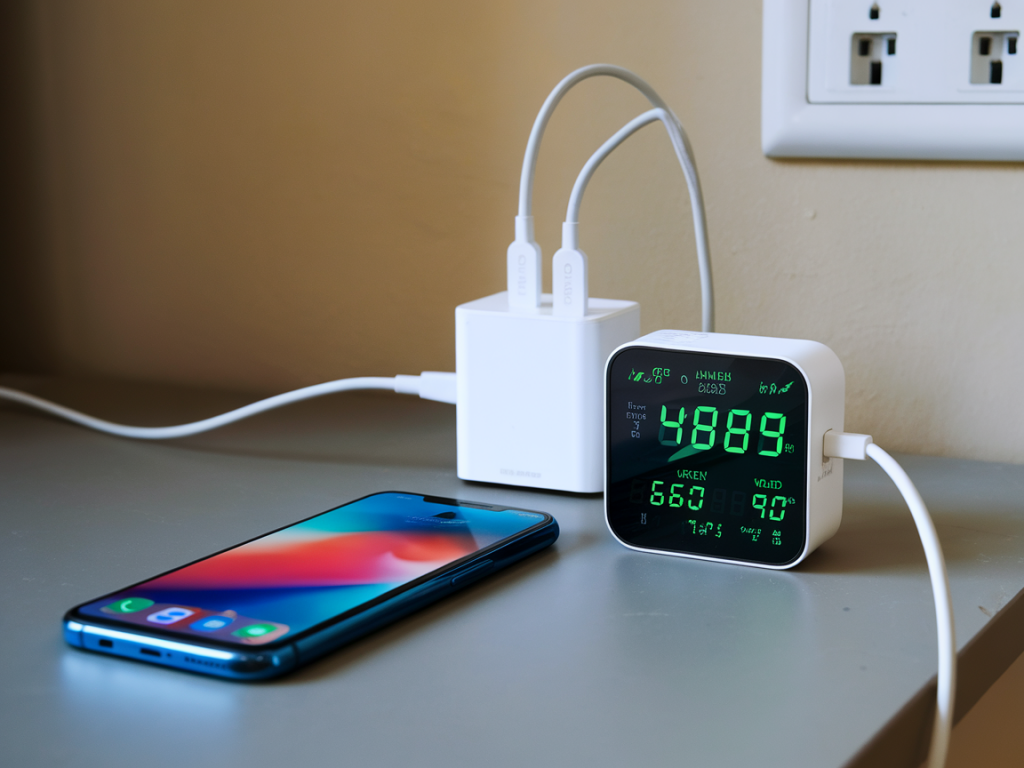
I love tiny tools that solve big headaches, and a pocket USB-C power meter is one of those gadgets for me. When a phone won’t fast-charge consistently, it’s tempting to blame the phone or the charger — but the reality often lives in the handshake between cable, charger, and device. A USB-C power meter lets you see that handshake in real time, and diagnose where things go wrong.
Why I carry a pocket USB-C power meter
Over the years I’ve tested dozens of phones, chargers and cables. Fast charging behavior can be inconsistent: a phone that hits 30W one minute might suddenly drop to 5W the next. I keep a small inline USB-C power meter in my toolbox because it gives immediate, actionable information. Instead of guessing, I can see voltage, current, negotiated protocol (USB Power Delivery, QC, etc.), and sometimes even the CC pin state or PD voltages. That visibility lets me isolate the faulty link quickly.
What a pocket power meter shows (and what it doesn’t)
- Voltage (V) — the charger’s output voltage, often 5V, 9V, 12V, 15V, 20V with PD-enabled devices.
- Current (A) — how much current the phone is drawing. Multiply V×A to get watts.
- Power (W) — some meters calculate this directly.
- Negotiated protocol — many meters display PD, QC, or “USB” depending on the handshake.
- CC pin status / PD messages — higher-end meters show more detail of the negotiation.
What a simple meter won’t show: internal phone battery health, charger internal faults that don’t affect voltage, or the detailed PD packet log (unless it’s a more advanced logger). But for everyday troubleshooting, the typical pocket meter is enough.
How I use the meter to diagnose flaky fast charging
When a phone exhibits inconsistent fast charging, I follow a step-by-step approach. This method isolates cable, charger, and phone so you know exactly what to replace.
- Step 1 — Baseline with a known-good setup: I test the phone with a charger and cable that I know deliver fast charge to that phone model. If the phone consistently reaches expected volts and amps (for example, 9V at 2.7A for ~24W), the phone is likely fine.
- Step 2 — Reproduce the issue: Plug the suspect charger/cable into the meter, then into the phone. Watch the meter readout during the initial connection and for the first minute — that’s when the PD negotiation happens.
- Step 3 — Observe the negotiation: Does the meter show a PD voltage bump (e.g., from 5V to 9V/12V)? Does current ramp up and then drop? If negotiation fails, the meter often stays at 5V and low current.
- Step 4 — Swap cables: Use a high-quality e-marked cable for PD-capable chargers. If the meter shows proper PD voltages with one cable but not another, the cable is the problem.
- Step 5 — Swap chargers: Use a different charger with the same cable. If the phone negotiates correctly with another charger, the original charger may be faulty or incompatible.
Interpreting typical readings
Here are examples I’ve seen and what they usually mean:
| Meter reading | Likely cause |
|---|---|
| 5V @ 0.5–1A | Only USB default power — no PD/QC negotiation. Could be cable, charger lacks PD, or phone is in a low-power state. |
| 9V @ 2–3A (stable) | Successful PD negotiation — fast charging working as expected. |
| 5V → 9V briefly → drop back to 5V | Intermittent negotiation failure. Possible intermittent cable contact, charger thermal throttling, or phone software issue. |
| Voltage fluctuates while current drops to near zero | Charger may be in protection mode (overcurrent/thermal). Could also be a poor cable connection. |
| Device draws unusually high current at 5V (near 3A) | Some devices accept high current at 5V when PD fails; not ideal and can be slower than PD at higher voltage. |
Common causes of flaky fast charging and how to confirm them
- Bad cable: The most frequent culprit. Cheap cables might lack correct CC wiring or e-marker chips, causing PD negotiation to fail. Test by swapping to a known e-marked USB-C cable and seeing if the meter shows stable higher voltage and expected amps.
- Charger incompatibility or fault: Some chargers misimplement PD profiles or have firmware issues. Use the meter to compare with another PD-certified charger. If another charger negotiates fine, the original charger is suspect.
- Phone software/thermal behavior: Phones throttle charging when hot or when the battery is in a protective state. Watch whether the meter shows initial high power that then ramps down; that suggests thermal throttling or software-limited charging.
- Port contamination or damaged connector: Dirt or bent pins can cause intermittent contact. Wiggle tests with the meter can reveal instability; if readings flicker with slight movement, clean or repair the port.
- Poor power delivery handshake: Some phones and chargers use proprietary fast-charge protocols that aren’t standard PD. Meters that identify “QC” or manufacturer protocols help spot this mismatch.
Practical tips I use when testing
- Let the phone cool down before testing — thermal throttling hides the true negotiation behavior.
- Test from cold start: connect the setup and watch the first 30–60 seconds carefully. Many failures occur during initial handshake.
- Use the shortest possible cable for testing — long or thin cables increase resistance and reduce current.
- Write down or photograph meter readings when the problem happens; intermittent faults are easier to track with timestamps.
- Look for meters that log data or have PC connectivity if you need deeper analysis — brands like Chargery, PortaPow or Satechi have useful options, and there are more advanced PD sniffers if you’re troubleshooting firmware-level issues.
When to replace hardware
If swapping cables fixes the issue, replace the cable. If another charger works fine, the original charger should be replaced — especially if the meter shows the charger failing to offer higher PD voltages or rapidly oscillating. If the phone consistently fails to negotiate with multiple chargers and cables, consider a factory reset or a professional diagnosis; persistent failure can indicate a damaged charging IC or port issue.
What I keep in my compact kit
- A pocket USB-C power meter (with basic PD readouts).
- One short e-marked USB-C to USB-C cable (PD-capable).
- One high-quality USB-A to USB-C cable for legacy chargers.
- A small can of compressed air and a toothpick for port cleaning.
Using a pocket power meter turns guesswork into a clear sequence of checks. It’s a small investment that saves time, avoids unnecessary replacements, and helps you understand whether the phone, cable, or charger is really at fault. If you're into compact tools that make tech troubleshooting straightforward, this is one I recommend keeping in your bag.